












✦  AI-Powered Software Testing Platform

AI Test Management and Test Automation Platform

Plan, manage, and automate software testing in one platform. Use AI to create test cases faster, streamline execution, and gain visibility into software quality.
QA Touch dashboard showing release readiness, test execution coverage and the connected workflow from requirements to release

Trusted by 15,000+ QA teams worldwide

Start Your First Test In Minutes

No complex setup. No long wait. Just a few simple steps.

Step 1 - create your QA Touch team workspace

Create your workspace

Sign up and create your team workspace.

Step 2 - add or import your first project

Add your project

Import or create your first project.

Step 3 - create your first test case with AI or manually

Create your first test

Use AI or add test cases manually.

Step 4 - run your first test and see results in real time

Run your first test

Execute and see results in real time.

Connected Quality Platform

From Test Planning To Automation
One Platform

Stop switching between disconnected tools. QA Touch gives your team one place to create and manage test cases, execute tests, automate repetitive work, track defects, and understand testing progress.

Test management icon

Test Management

Create, organize, review, execute, and track your test cases from one centralized workspace.

Test automation icon

Test Automation

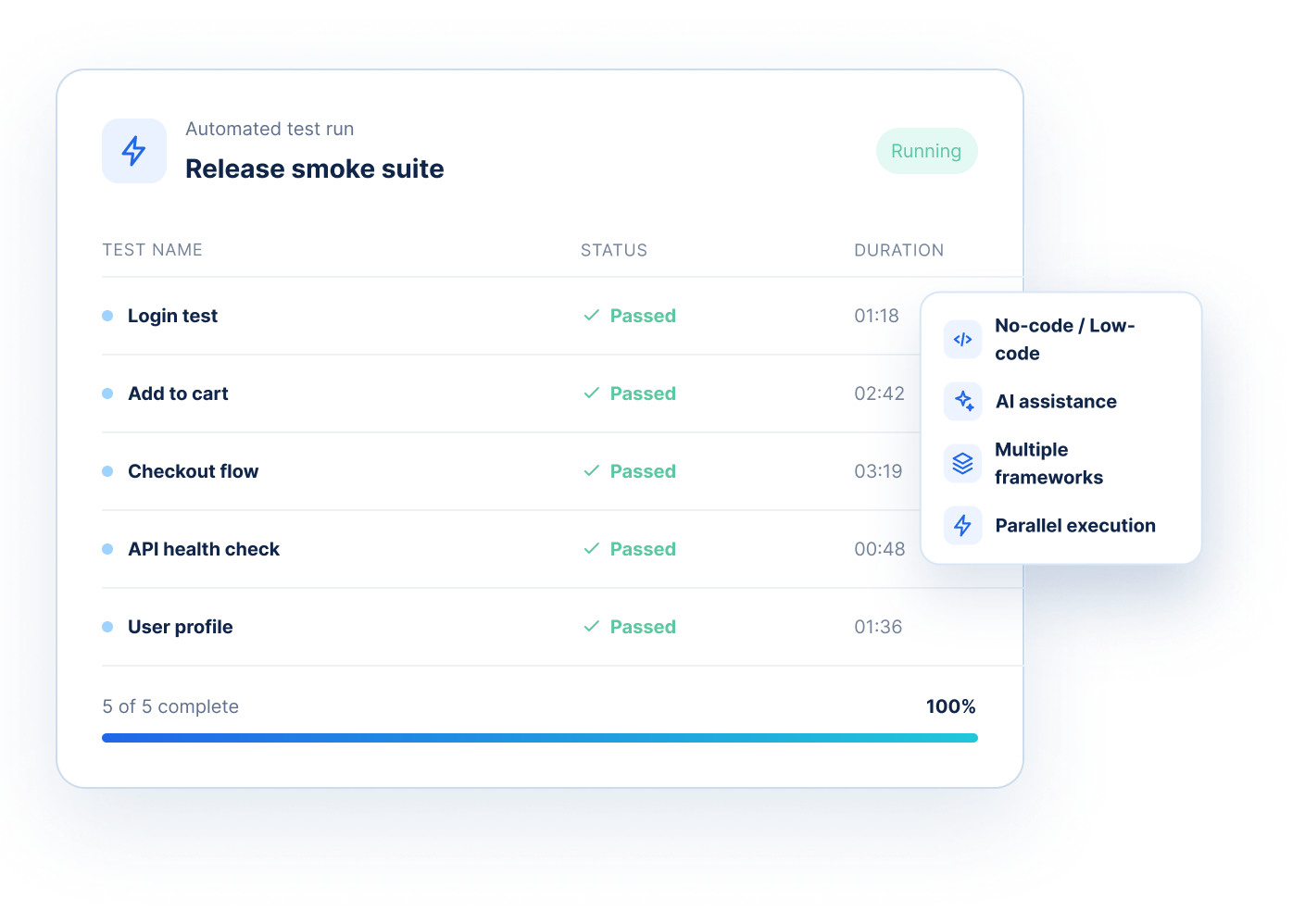
Build and run automated tests with no-code/low-code capabilities, AI assistance, and modern frameworks.

QA Touch connected quality platform linking test management, test automation and AI assistant
QA Touch AI

Turn Requirements Into Test Cases
With AI

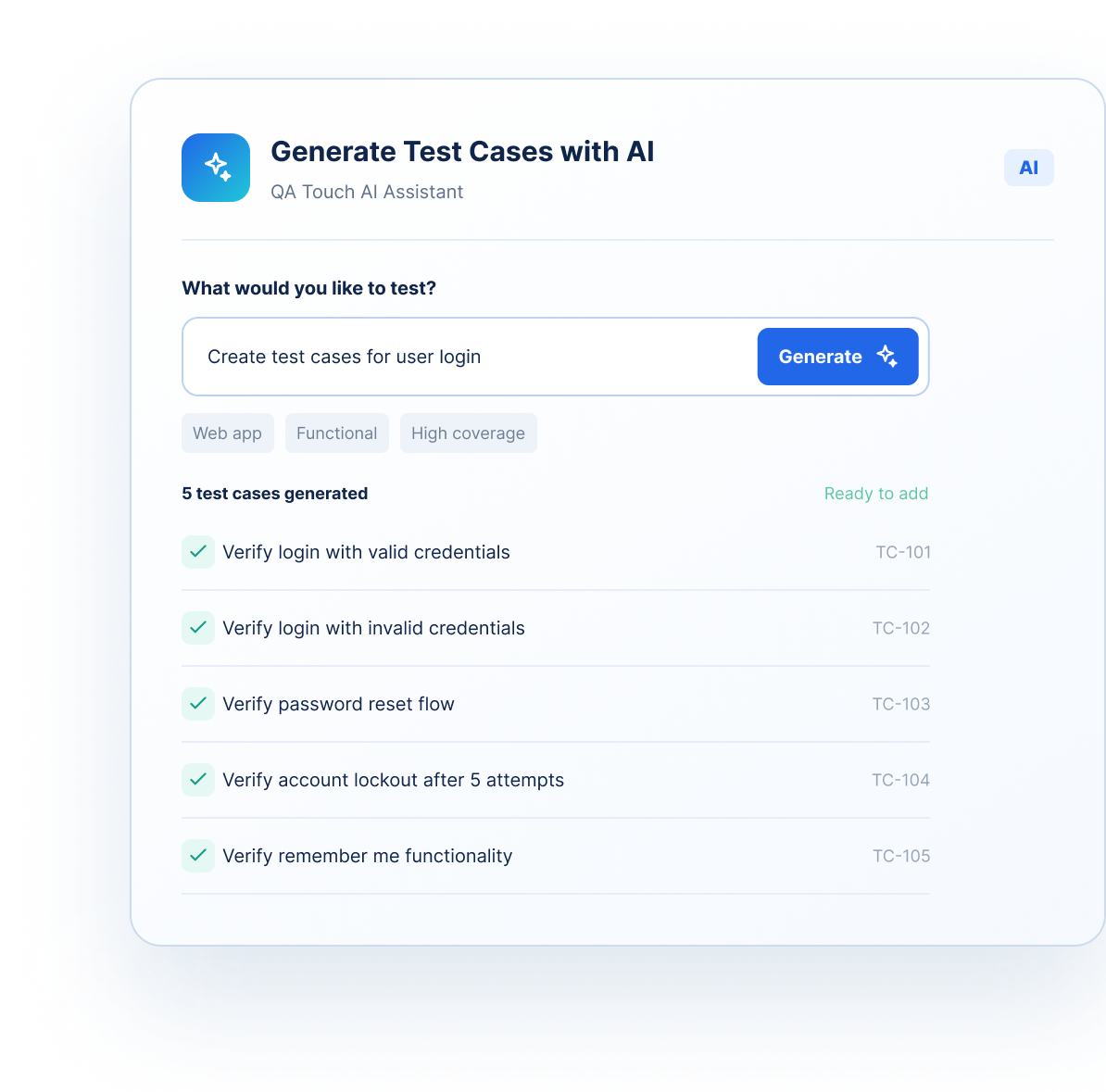
Start with what you already have. Convert Jira stories, BRDs, Figma designs, images or simple prompts into structured test cases with AI.

Generate test cases from Jira stories icon

Jira → Test Cases

Generate test cases directly from Jira stories and epics.

Convert business requirement documents to test cases icon

BRD → Test Cases

Turn business requirements into structured test scenarios.

Convert Figma designs to test cases icon

Figma → Test Cases

Convert designs and user flows into test cases before development is complete.

Generate test cases from an AI prompt icon

Prompt → Test Cases

Describe what you want to test and generate test cases in seconds.

QA Touch AI assistant generating test cases for user login from a simple prompt
Everything In Sync

Complete Testing Workflows, All In One Place

Everything your QA team needs to stay organized and move faster.

Test case management icon

Test Case Management

Create, organize, reuse, review, and maintain test cases.

Test run management icon

Test Run Management

Plan, execute, monitor and analyze test runs.

Requirements management icon

Requirements Management

Connect requirements with test cases and execution results.

Defect management icon

Defect Management

Track issues from discovery to closure.

Test execution icon

Test Execution

Execute tests and monitor real-time results.

Test case reviews icon

Test Case Reviews

Create review workflows and maintain test case quality.

Reports and dashboards icon

Reports & Dashboards

See testing progress, coverage, defects and productivity.

Integrations icon

Integrations

Connect with Jira, GitHub, CI/CD and your existing workflow.

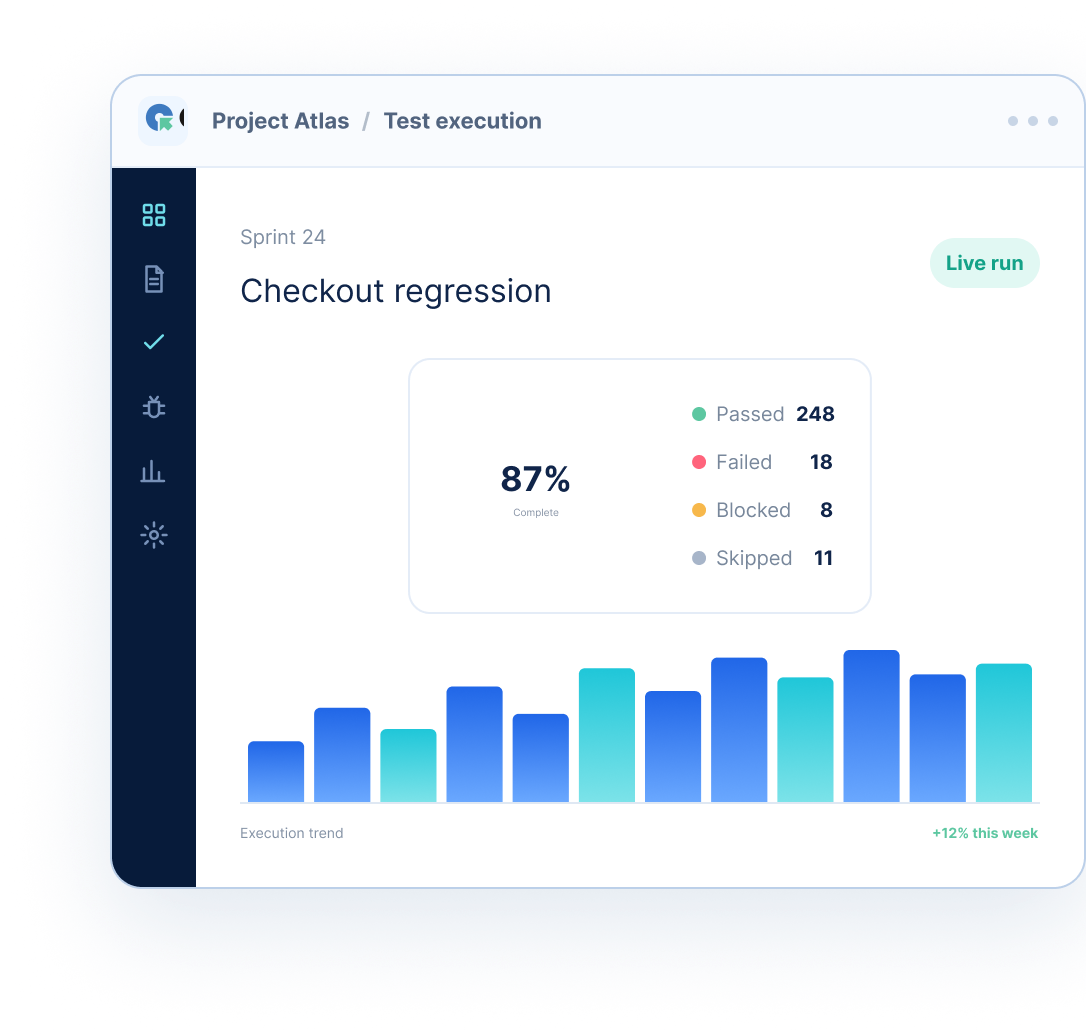
QA Touch test execution dashboard for a checkout regression run with pass, fail, blocked and skipped results
QA Touch Automate release smoke suite with passed automated tests, durations and progress
QA Touch Automate

Move From Manual Testing
To Test Automation

Automate repetitive testing without losing control of your test management workflow.

Connect Manual And Automated Testing

Your test cases shouldn’t live separately from your automation. QA Touch connects your test management workflow with automated testing so you can see the complete picture.

Test planning icon - what should we test

What should
we test?

Test coverage icon - what did we test

What did
we test?

Defect icon - what failed

What failed?

Automation icon - what was automated

What was
automated?

Insights icon - what needs attention

What needs
attention?

Release readiness icon - are we ready to release

Are we ready
to release?

Built For The Way Modern QA Teams Work

From testers to developers, everyone gets what they need.

Manual testers icon

Manual Testers

Create, organize, execute and maintain test cases without spreadsheet chaos.

Automation engineers icon

Automation Engineers

Connect automated tests, execution workflows and automation frameworks with your test process.

QA managers icon

QA Managers

Get visibility into coverage, execution progress, defects and team productivity.

Developers icon

Developers

Connect testing with development through Jira, GitHub, CI/CD, APIs and automation frameworks.

Product and business teams icon

Product & Business Teams

Connect requirements with testing and get a clearer view of product quality.

Built For Modern Quality

Why Teams Choose QA Touch

One platform for testing icon

One Platform For Testing

Manage your test management and automation in a connected workflow.

AI where it saves real time icon

AI Where It Saves Real Time

Generate test cases, improve coverage, and reduce repetitive work.

Built for testers icon

Built For Testers

Designed around the way QA teams actually work.

Easy to start icon

Easy To Start

Create your workspace and start testing quickly.

Flexible for growing teams icon

Flexible For Growing Teams

Scale your testing workflows as your team grows.

Your Existing Tools. One Connected Testing Workflow.

Connect QA Touch with the tools your team already uses.

Frequently asked questions

Everything you need to know about the product and billing

Why QA Touch?

QA Touch is an AI-driven test management platform built by testers for testers. It simplifies collaboration between developers and QA engineers while helping to manage, track, and organize test cases efficiently. Streamline your testing processes, enhance QA visibility, and deliver high-quality software with ease.

QA Touch offers comprehensive features to manage the entire test management process. From easy migration with CSV files to audio-visual recording of issues and activity logs and a shareable dashboard for real-time reporting to stakeholders, we ensure the testing teams are always on top of things.

Our focus is on providing complete visibility and control over testing workflows and fostering collaboration between testers and other stakeholders (both internal and external). You can have a look at all the features here.

Once you sign up, it takes only 30 minutes to get your QA Touch account up and running. After registration, you will receive an account activation email with all the details. Log in with your account details and create your first test project on QA Touch—it’s that simple. You are now ready to start inviting your team and assigning them roles.

If you are finding it difficult to log in or facing any difficulty, feel free to reach our support team at info@qatouch.com

Why is QA Touch the best test management tool for me?

QA Touch is an AI-driven test management platform that simplifies collaboration between your developers and testers. Beyond creating, organizing, and executing test cases, QA Touch enables you to manage projects, track bugs, and monitor time—all in one platform.

With an intuitive UI and seamless two-way integrations, QA Touch adapts to your workflow, making test management, project oversight, and bug tracking smarter and more efficient.

With secure OKTA, Microsoft Azure SSO, and Google SSO enterprise features, you can stay connected in every app.

We have integrations with dozens of major apps like Slack, Jira, Monday.com, Cypress, and many more. Explore the whole list of integrations now supported here: Explore integrations

The test management tool is a modern software application that helps QA teams and developers manage their testing process efficiently. It provides a structured approach to creating, organizing, executing, and tracking tests to ensure software applications meet specified requirements and function properly before release.

Start Building Quality Today

Don't Just Manage Test Cases.
Improve the Way You Test.

Bring Test Management, Automation, And AI Quality Visibility Together With QA Touch.